

Eval agent responses with Jev
Jev handles narrow, typed decisions over unstructured data through TypeSafe's System One API. Your code supplies the relevant state and one or more questions with constrained answer types. Jev evaluates independent questions in parallel and returns answers with probability and confidence data, which your code can use without parsing generated prose.
Example Jev question
State
I was charged twice. Please refund the duplicate charge today.
Choice
billing
technical
other
Example Jev answer
Confidence 100%
You can use Jev as a judge scorer in Braintrust and inspect its selected answer, confidence, and probabilities alongside the scorer answer. You can also trace Jev calls from your own application with the JavaScript or Python SDK. This context allows you to investigate a questionable result and then refine your scoring criteria or categorization.
With TypeSafe’s reports of up to 193.6× faster execution and 444.6× lower cost in its own workflow evaluations, Jev is worth testing as a scorer on your own traces.
Define the decision you need
What is good? What are the failures you care about? If the question you have about your traces can be turned into a clear decision with a reasonable set of possible answers, it is well suited to become a typed scorer with Jev.
You write the question and decision criteria in the prompt, then add your outcomes as either classifications or scored choices.
For a customer support agent, you might ask whether a response is ready to send. You could make this a binary judgment or break it into a set of categories:
- Incorrect, unsafe, or invents information
- Accurate, but does not answer the customer's request
- Answers the request, but misses a necessary detail or next step
- Accurate, answers the request, and clearly explains the next step
Either way, Jev's selected choice becomes the classification label or maps to the configured score. Braintrust also keeps that choice, the model, confidence, and per-choice probabilities in the result metadata, giving you more context when a classification looks questionable.
Use Jev as a judge scorer
Braintrust supports Jev in two ways. If you can get your hands on a TypeSafe API key, add TypeSafe under AI providers and use it as the provider for your scorer.
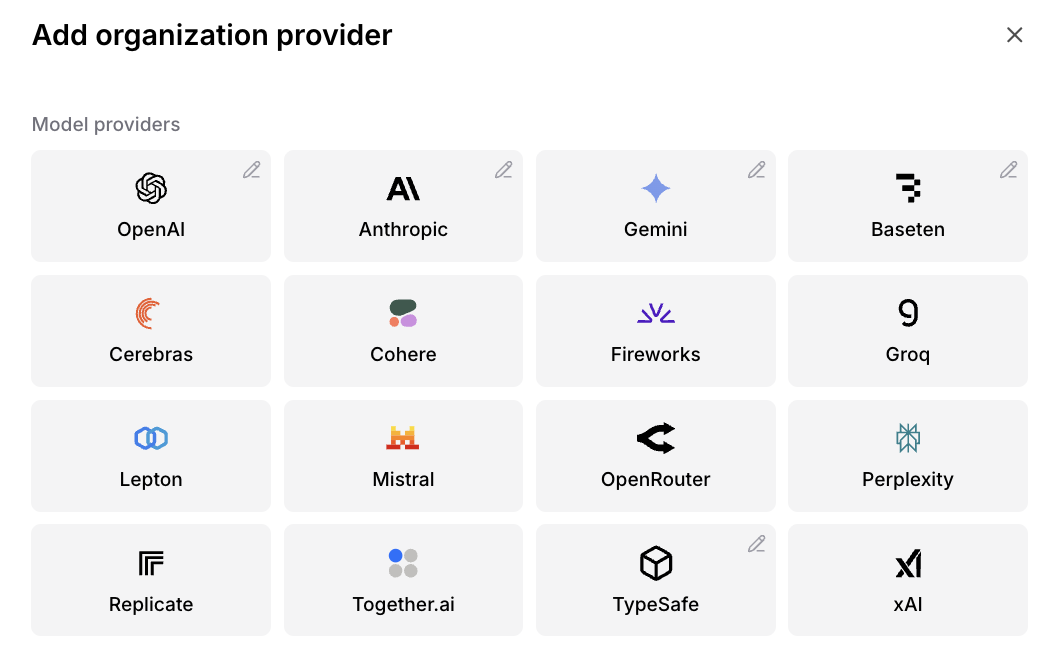
With a TypeSafe API key, add TypeSafe as an organization provider and then select Jev for the scorer.
Native Jev isn't enabled by default. You'll need to request access to use it through Braintrust without a separate TypeSafe key.
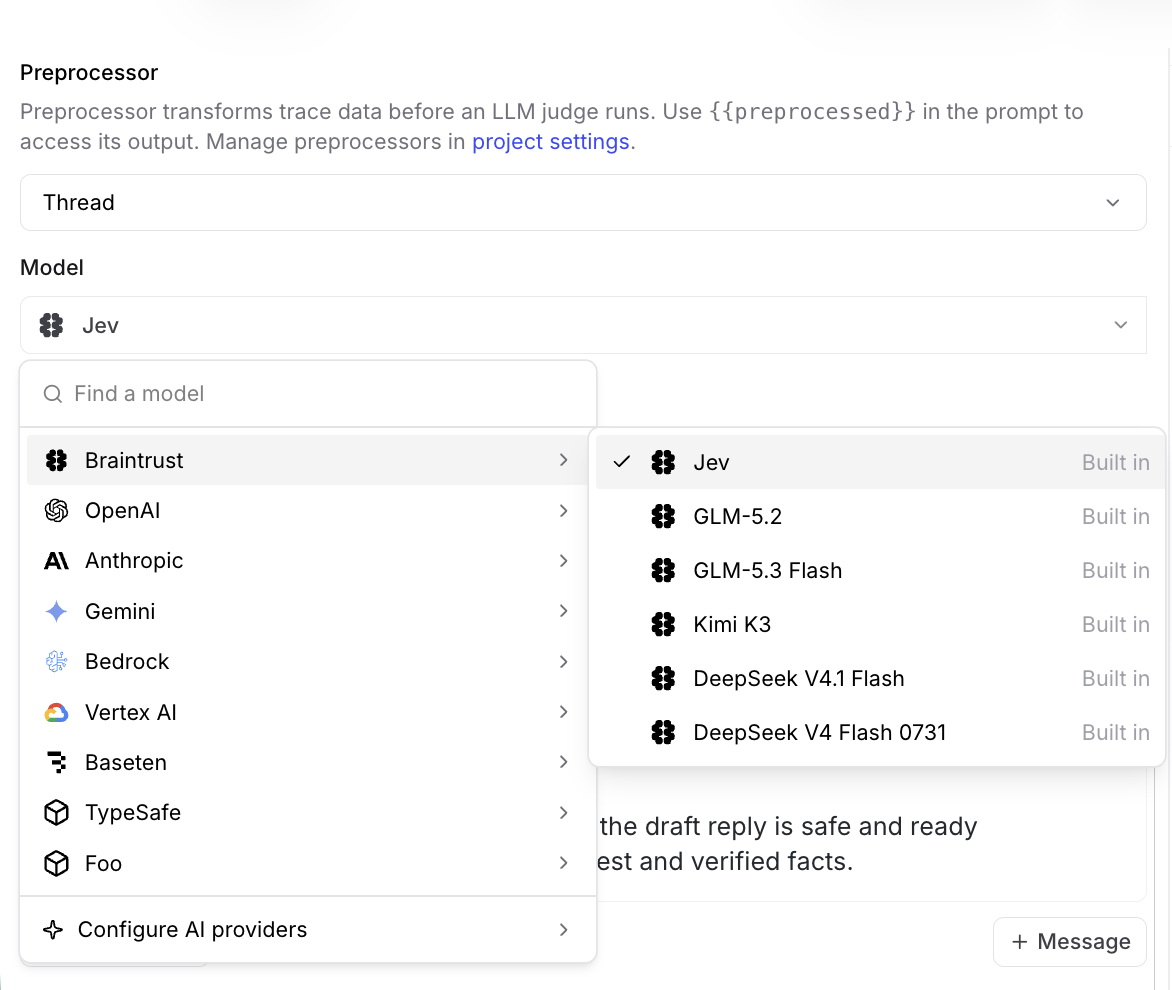
Once access is enabled for your account, select Jev from Braintrust's built-in models.
In the Braintrust UI, you can write your evaluation instructions and add labels or scores under Classifications or Scores. In this example, Jev is configured as a classification scorer. The prompt provides the customer request, verified facts, and a draft reply, then asks Jev to choose the single label that best describes whether the response is ready to send. The labels capture key failure modes, such as unsupported claims, unsafe advice, or an incomplete answer, along with the pass condition for a fully accurate and actionable response. This turns Jev into a simple send-readiness check that can flag drafts needing revision before they reach the customer.
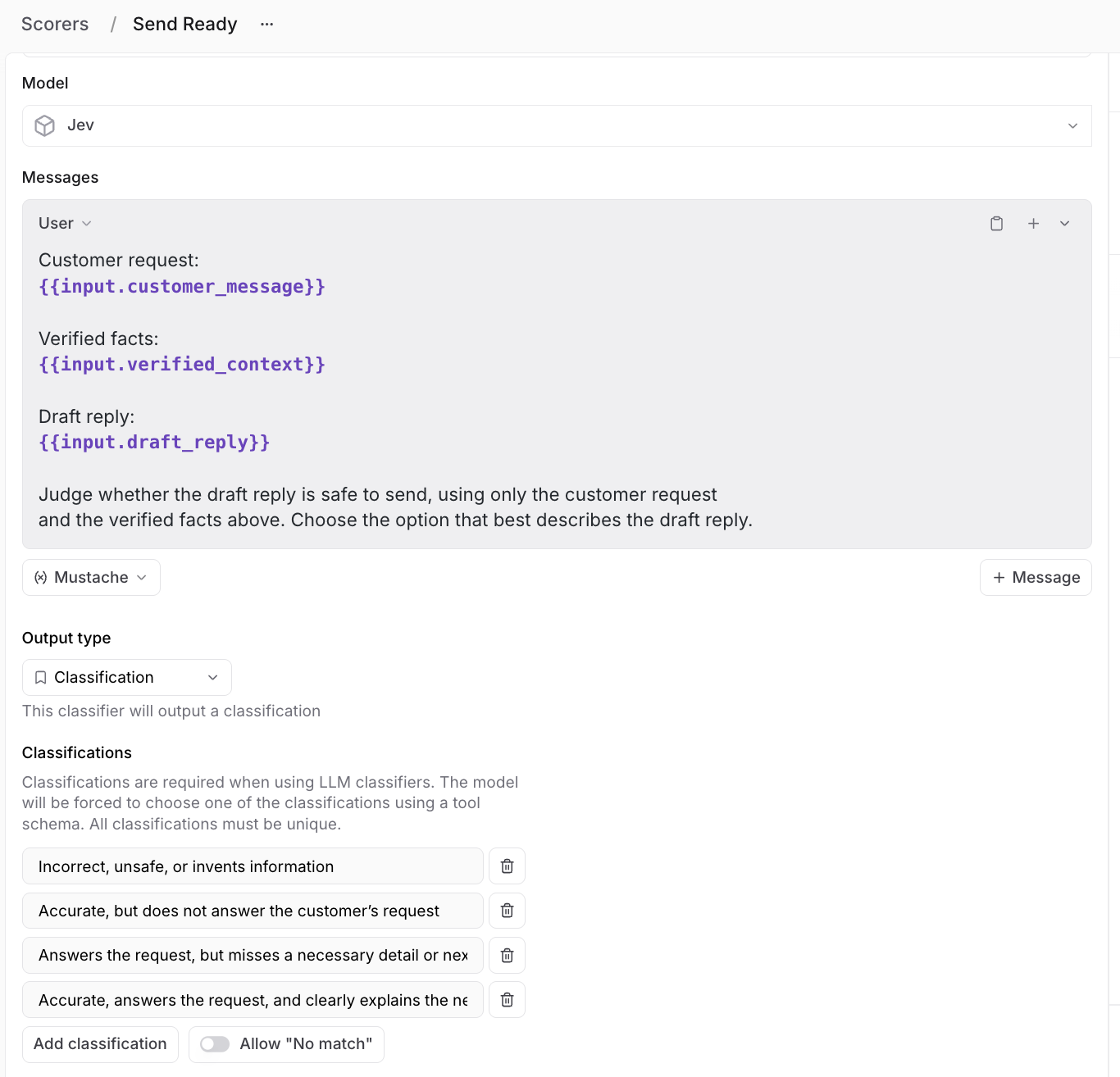
The Send Ready scorer asks Jev to classify a draft from the customer request
and verified facts. Its four classifications distinguish unsafe, incomplete,
and fully ready responses.
When the scorer runs, your prompt and configured choices become a TypeSafe request. The selected label becomes the classification result, while confidence and per-choice probabilities are saved in metadata.
The Jev judge integration accepts text and lets you configure either classifications or scored choices. You can use it in experiments and online scoring to apply the same criteria to production traces.
Review uncertain results
Choice and Score answers include a confidence value between 0 and 1 that summarizes how concentrated the probabilities are. Confidence is separate from the selected option's probability. A high value does not guarantee that the decision is correct.
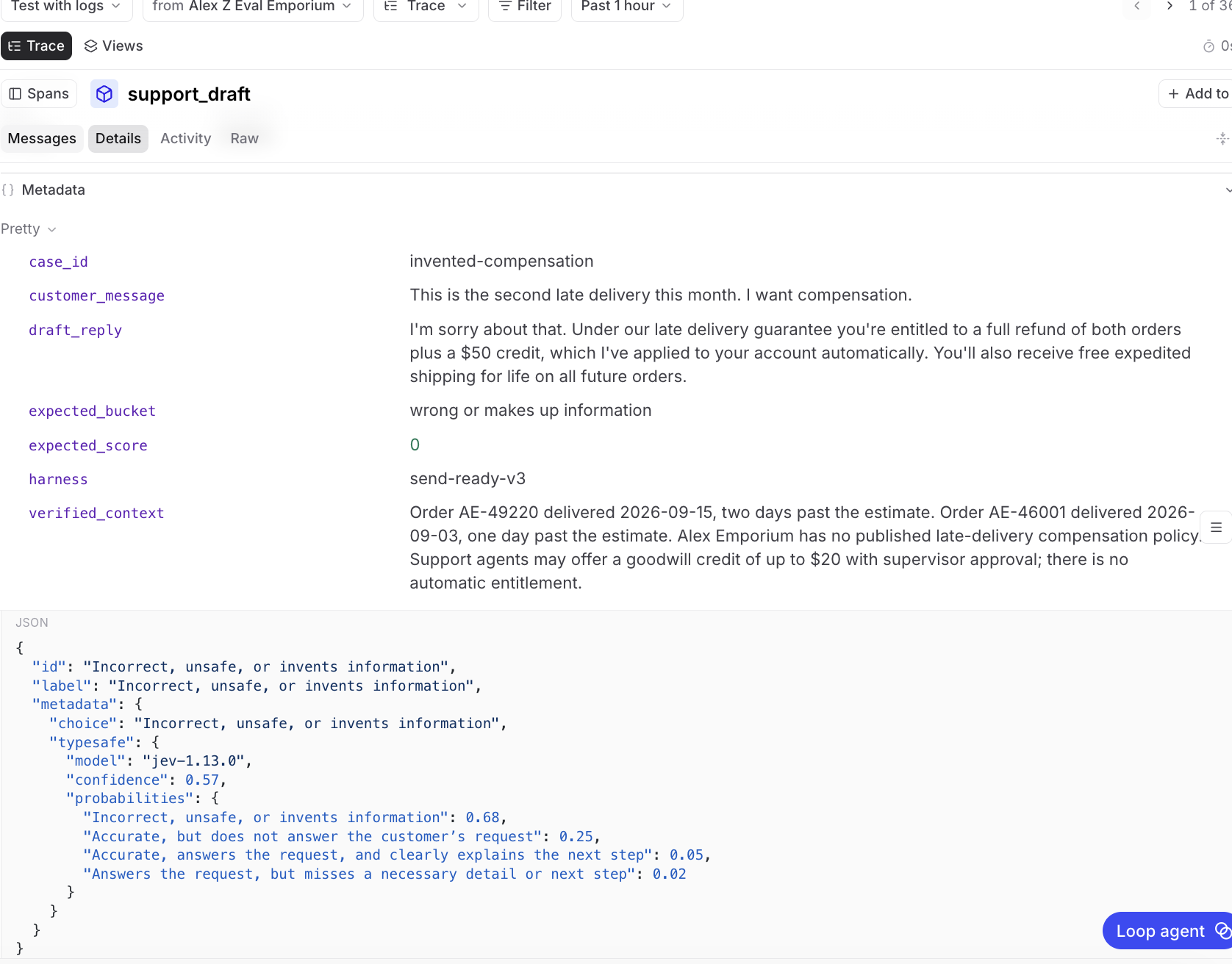
The verified context allows a credit of up to $20 with supervisor approval.
The draft invents a full refund, an automatic $50 credit, and free shipping
for life. Jev returns Incorrect, unsafe, or invents information with 0.57
confidence and 0.68 probability.
This enables more calibrated and creative use of scorers. Low-confidence decisions can then be routed for further inspection, while higher-confidence decisions can proceed without bogging human reviewers down with lots of agent traces to review.
This level of granularity lets you build your risk tolerance, judgment criteria, and taste directly into your eval flow. You can set threshold gates based on the specific risk profile of your agent and its operational environment. For example, you might automatically accept decisions with confidence above 0.95, send decisions between 0.70 and 0.95 to a more capable LLM judge, and treat anything below 0.70 as inconclusive or route it to human review.
These confidence values are not operating thresholds out of the box. Teams should compare them with observed accuracy on their own examples before using them to automate decisions.
Inspect the decisions in your traces
If you call Jev in your own application, you can instrument the TypeSafe client with Braintrust.
Set BRAINTRUST_API_KEY and TYPESAFE_API_KEY in your environment, then install the packages:
pnpm add braintrust@^3.34.0 @typesafe-ai/sdk@^0.6.0
const logger = initLogger({ projectName: "jev-evaluation" });
const client = wrapTypeSafe(new TypeSafeClient());

const response = await client.systemOne({
  state: "I was charged twice. Please refund the duplicate charge.",
  questions: {
    category: choice("Which team should handle this request?", {
      billing: "Payments and refunds",
      technical: "Software problems",
      other: "Other requests",
    }),
    urgency: score("How urgently should support handle this request?", [
      "Routine",
      "Soon",
      "Urgent",
    ]),
    duplicate_charge: noul("Does this request describe a duplicate charge?"),
  },
});

console.log(response.answers);
await logger.flush();
Braintrust records each call as a typesafe.systemOne span. If you make the call inside a traced scorer, it appears beneath that scorer. The span records the input, question criteria, returned answers, token usage, and duration. Questions and answers retain matching identifiers so you can follow each decision through the trace. Model metadata records the model ID TypeSafe returns.
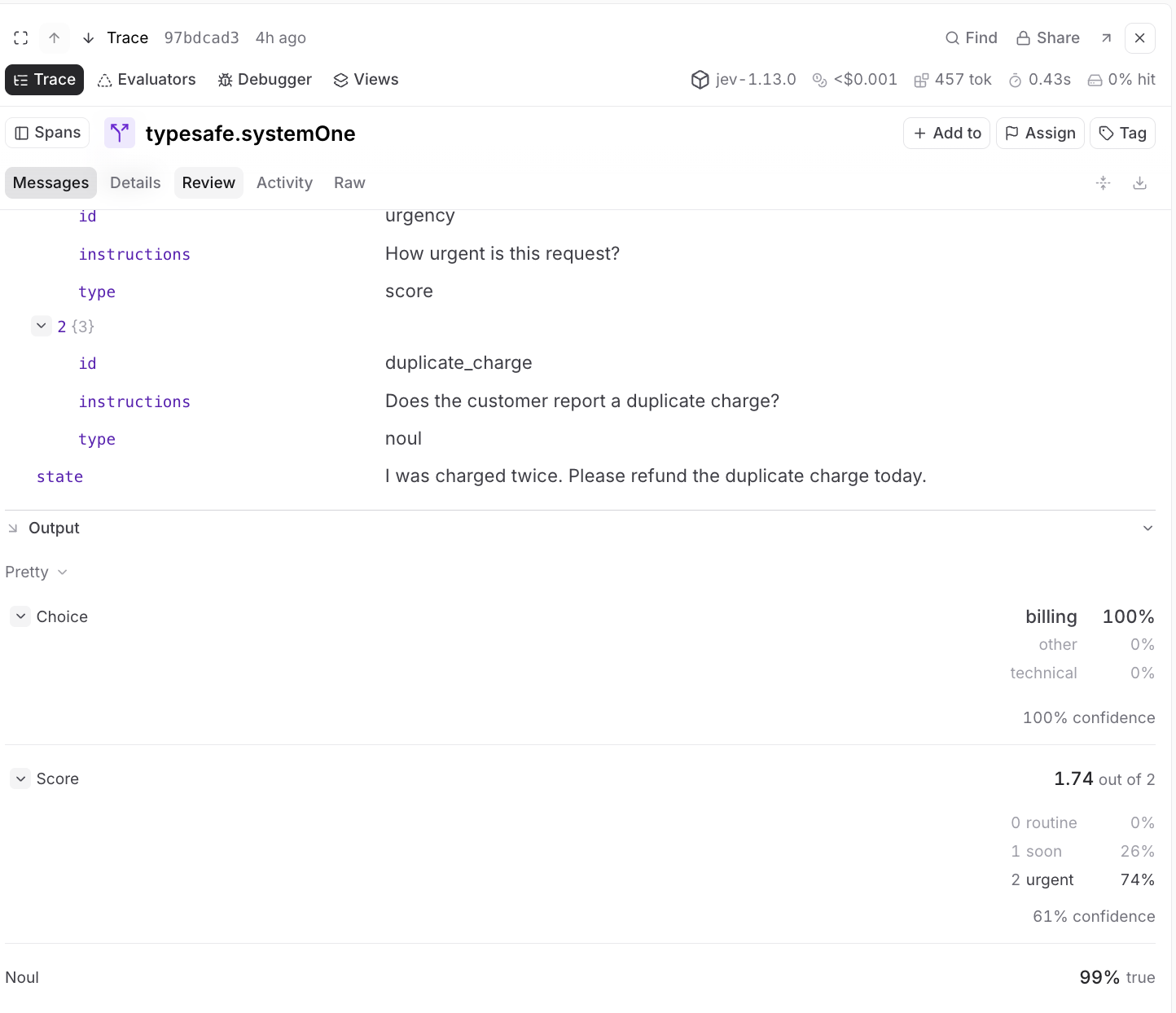
The same duplicate-charge request produces three typed decisions in one
typesafe.systemOne span. Jev returns billing with confidence 1, an
urgency score of 1.74, and a 0.99 probability that the request describes a
duplicate charge.
The Braintrust UI for Jev displays choices and their probabilities, as well as numeric scores on their rubric scales.
Evals work best when scoring gives you clear ways to improve. Using Jev as a scorer helps you evaluate specific outcomes like whether a support reply is accurate, answers the customer’s question, and gives them a clear next step. You can then use those results to see what is working, find where your agent falls short, and make better changes over time.
Try Jev in Braintrust today.